

Some of the features in Windows operating system is available only if you are running a specific or later version of Bluetooth. For instance, the Nearby Share (a feature to share files between two Windows 11/10 computers) requires Bluetooth 4.0 or later versions. Bluetooth 4.0 adds Bluetooth Smart / Bluetooth Low Energy standard in addition to the Classic Bluetooth specification, so it is a significant improvement in prolonging battery life of devices. The batteries in Bluetooth low energy devices will last several times longer than their classic Bluetooth counterparts.
Bluetooth version number is usually mentioned in PC’s manual or product information page on your manufacturer’s website. But if your laptop is few years old, you likely have lost the manual and might not be able to find its information on the web as well.
Check Bluetooth Version manually
We can use Windows Device Manager to find out the Bluetooth version .
1. Make sure your Bluetooth is turned on. You can turn it on from the Action Center toggle, or you can open the Settings app and go to the Devices group of settings and turn it on from the Bluetooth tab.
2. Right click the Start button to open its context menu and Select the item called “Device Manager“.

3. In Device Manager, expand the Bluetooth set of devices. You may see one or several devices under this. Look for Interl(R) Wireless Bluetooth(R) or your Bluetooth brand name. Right-click it, and select Properties.

4. In the Properties window, go to the Advanced tab. Here, you will see a Firmware Version entry with something like LMP followed by a number, the number will correspond to the version of Bluetooth that you’re running.

The LMP versions Table:
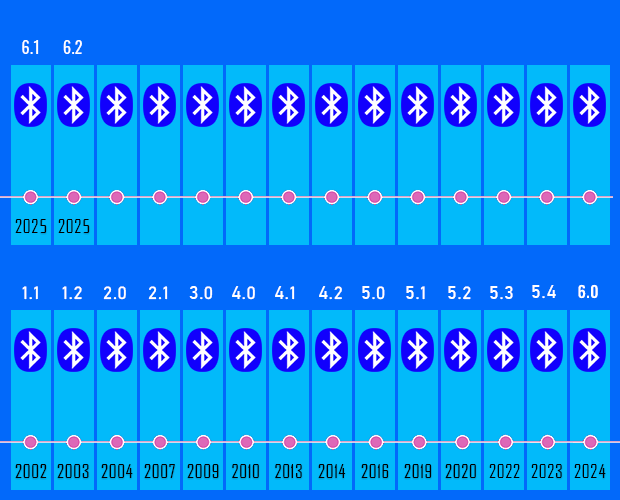
LMP 16 – Bluetooth 6.2
LMP 15 – Bluetooth 6.1
LMP 14 – Bluetooth 6.0
LMP 13 – Bluetooth 5.4
LMP 12 – Bluetooth 5.3
LMP 11 – Bluetooth 5.2
LMP 10 – Bluetooth 5.1
LMP 9.x – Bluetooth 5.0
LMP 8.x – Bluetooth 4.2
LMP 7.x – Bluetooth 4.1
LMP 6.x – Bluetooth 4.0
LMP 5.x – Bluetooth 3.0 + HS
LMP 4.x – Bluetooth 2.1 + EDR
LMP 3.x – Bluetooth 2.0 + EDR
LMP 2.x – Bluetooth 1.2
LMP 1.x – Bluetooth 1.1
LMP 0.x – Bluetooth 1.0b
For instance, Bluetooth adapter’s LMP version 6.x indicates that your Bluetooth version is 4.0
Bluetooth Version Finder
Finding Bluetooth verison manually through the graphical user interface would be time consuming, tedious and, prone to human error therefore we have coded a portable Freeware “Bluetooth Version Finder” . It is the easiest method to find the Bluetooth version number. Just download and unzip it then clik to run it will show your Bluetooth version number
What is New v1.7 (Wednesday, February 11, 2026)
[ ADDED ] – Bluetooth version 6.2 support.
[ ADDED ] – Bluetooth version 6.1 support.
[ ADDED ] – Improvements in program codes.
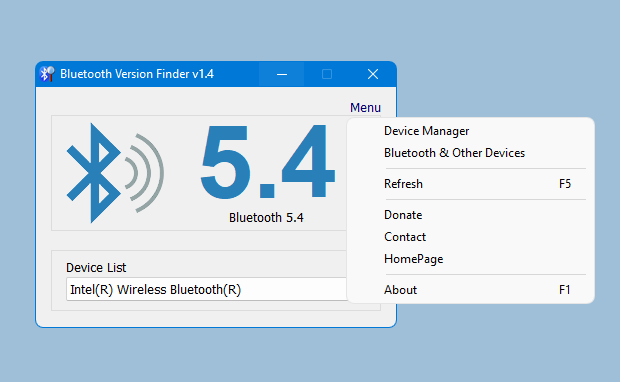
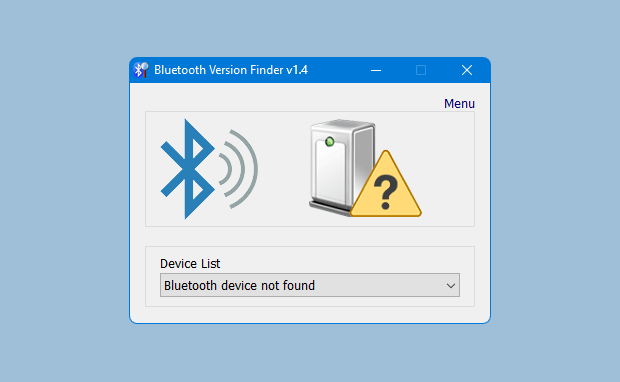
Under the big version number you can read the details . If it fails , you will see a question mark icon.
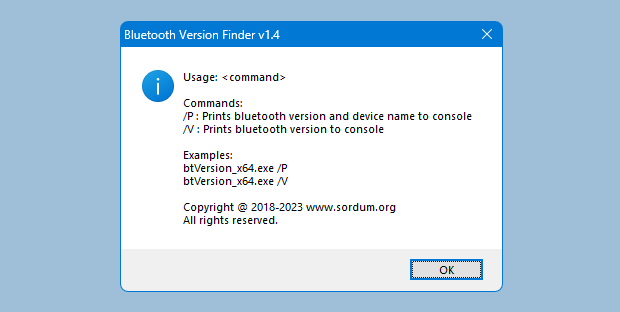
Bluetooth Version Finder has Cmd parameter support, to view the commands it supports, simply open Cmd where the exe is located and run the btVersion_x64.exe /? command.
Supported operating systems: Windows 11 , Windows 10
Supported languages: English

File: btVersion_x64.exe │ Virustotal
MD5 : 91f7b38030db5fd3324ddef94c65e1d2
SHA1 : 831497cecd9aac0895ed0247042c28d3fd297678
SHA-256 : 3fe8aa6476a47c429e436ed77b4d20ef1ba89f4efb2c7b88b805e7971b541f71
File: btVersion.exe │ Virustotal
MD5 : 1f025ffdb1c1e796c5a3c870350afba6
SHA1 : 5156ca05cd34a5711a41ef202ff6dc758371e8dc
SHA-256 : 1fbbc8242226b40d931869c97e28e358cdba6ad78c7e60447e1cb04423008f18




 Show My IP Address
 Google Translate
please add support for windows 7.. i can’t able to make it run in my computer
Hi, No it only shows the Bluetooth version
(Hola, No solo muestra la versión de Bluetooth)
Hola. Podria este programa tambien cumplir la funcion de activar y desactivar el Bluetooth?
Use the following command:
btVersion_x64.exe /P /U >BtOutput.txt
This command saves the output to a file in the working directory, which you can read and print to the console. A different BAT file example is included in the ZIP file.
Bluetooth Version Finder v1.6
Parameters /P /U /V no echo to console !
Out of context but I think it’d be better if every tool you guys made was released as a single package, similar to SysInternals Suite, just an idea.
how can i find out my earphones bluetooth version
Bluetooth Version Finder has support for cmd parameters. There is a bat file in the zip file for the sample output.