

PowerRun is a portable freeware to launch regedit.exe , Cmd.exe or other software with the same privileges as the TrustedInstaller / Nt Authority/system Why would you need it? Sometimes it is not enough to just be running as Administrator, Maybe it’s a file or a registry key that is locked or not editable, PowerRun a tool with this powerful privilege most likely solve that , PowerRun doesn’t require any installation process or additional dll files.
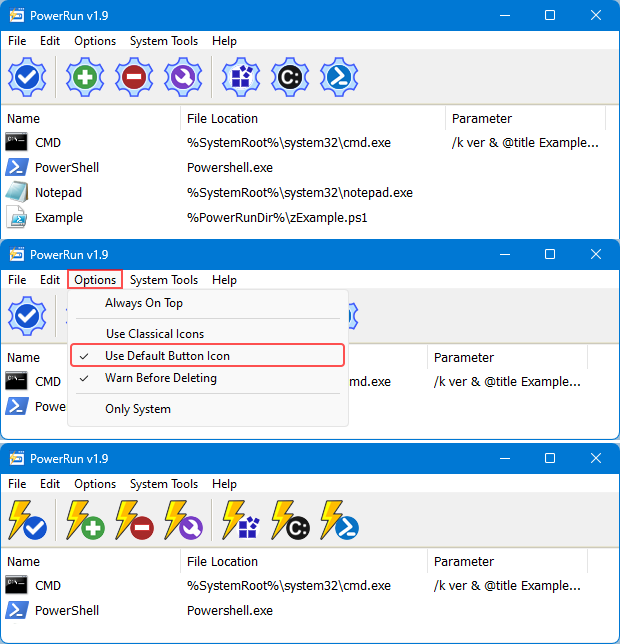
What is New (Wednesday, July 15, 2026)
2. [Added] – Code Improvements.
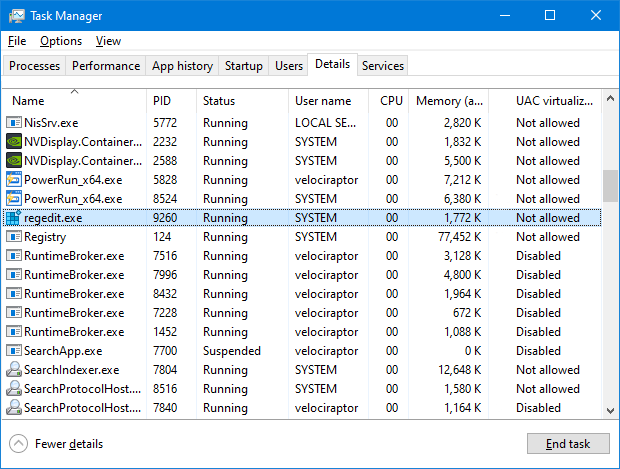
How to use : After downloading, extract PowerRun to your desired location, then run it. You can drag and drop any files on it for example ; program files , Program files shortcuts , script files , text files usw. to run a listed file in TrustedInstaller/SYSTEM privileges you can select it and use run button or right click on it and choose “Run File” feature , the file will run with Highest privileges , you can check the Task manager’s details tab to verify that the selected file running under SYSTEM Privileges.
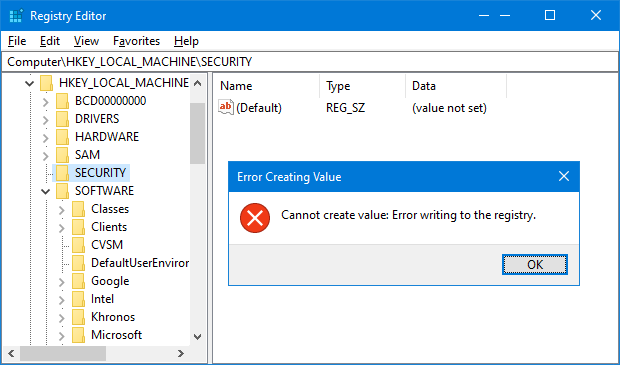
If you’re trying to edit or delete keys from the registry , you might find that some keys won’t let you do anything with them and you’ll get an error such as “Cannot delete xxxxx: Error while deleting key“. These keys are usually protected to stop accidental deletion , You could also be the administrator on the computer, but still can’t manipulate the required key.
Even though the administrator account has a great deal of control, there are other hidden accounts and levels on the system which have even greater access and therefore standard administrator privileges are not enough. To solve this problem, you have to force the registry to allow the logged on user full control of the subkeys in such cases PoweRun can help you : use the “Launch Registry Editor” button.
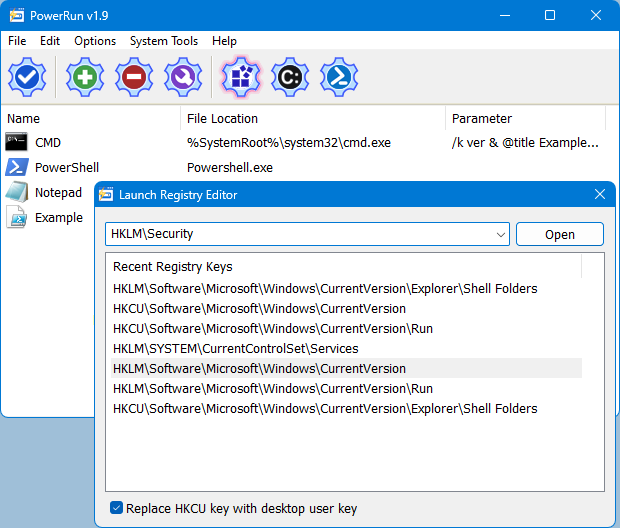
Copy desired registry key and click “Open” button , PowerRun will open regedit (with Highest Privileges) and jump to the key Automatically. If you want to add any parameter to listed script or program rigt click on it and use “Edit Item” or just use wrench Button.
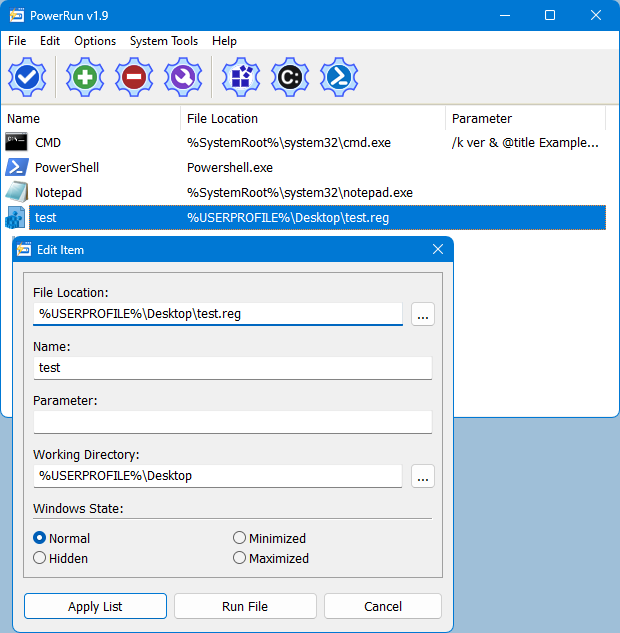
For automation purpose PowerRun allows you to create a vbs or bat file with necessary parameters in it , to use this feature :
1. Select the Program.
2. And use Edit – Create bat/Vbs File feature.
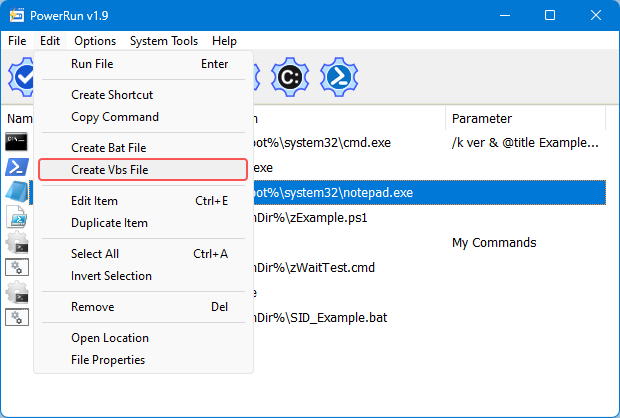
Don’t forget to run the script in the same folder with PowerRun.exe or PowerRun_x64.exe.
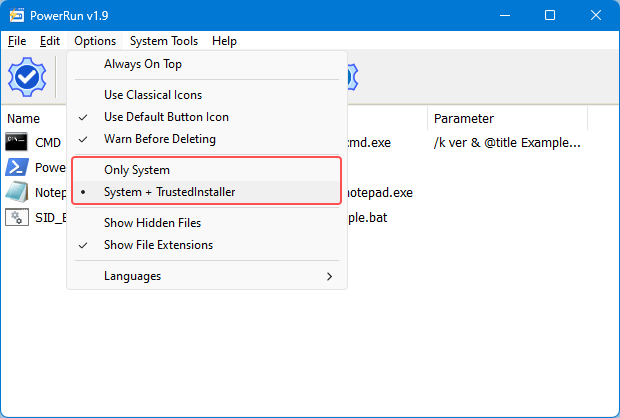
Choosing between System or TrustedInstaller Privileges
In the Options menu, you can choose between System and System + TrustedINstaller permissions.
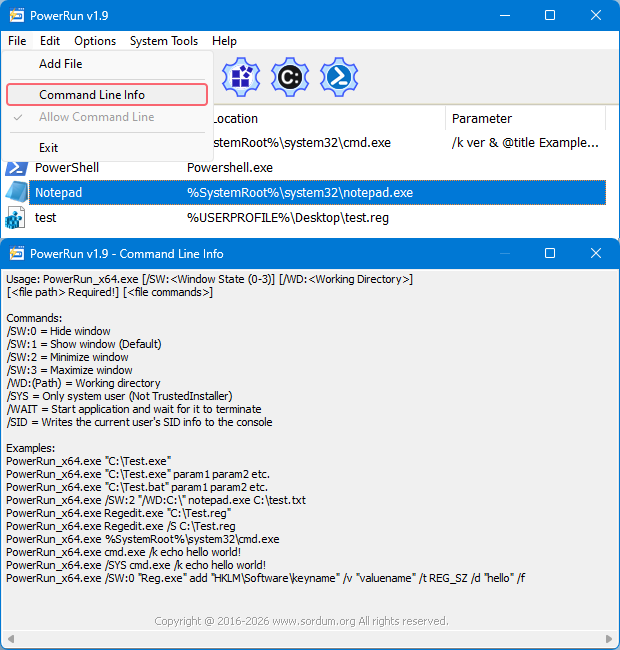
To see all supported command line parameters of PowerRun, use PowerRun.exe ? command or click File menu and select Command Line Info.
NOTE: PowerRun can not run only with “TrustedInstaller” privileges it can also run with “Nt Authority/system” privileges.
Supported operating systems: Windows 11 , Windows 10 , Windows 8.1 , Windows 8 and Windows 7
Supported languages: English , Turkish , German , Portuguese (Brazil) , Korean , French , Greek , Russian , Japanese , Polish , Spanish , Chinese (Simplified), Lithuanian, Italian, Vietnamese, Dutch (Nederlands)


File: PowerRun_x64.exe │ Virustotal
MD5: 8177df010460984de0df608483531103
SHA1: 4f4b009bdad5c97317492058267d51a4d3fde21a
SHA-256: b305126c2881073a53073bd1782d0649764d198562e02fc02395fc07637dcec5
File: PowerRun.exe │ Virustotal
MD5: 4dd8405238b8b3df3e8a663b98f064e0
SHA1: 24e0fa7565d006fa44ec7c243c416997e3b1a011
SHA-256: 4b2f1f74f33706ff4f1103495134670ff9fac88cb672bf2524d02f8405f14fb5




 Show My IP Address
 Google Translate
Would love ability to alias long file paths
Thank you (Dankeschön) Thorsten
Perfect, great! Many thanks for this mighty tool! It was never before so easy to change some locked settings Windows Registry or other deep system components.
Hi,
I would like to request the addition of a new program argument /W (for example) to run the program or batch specified and wait for it to close before ending PowerRun.
Thanks.
Thanks for your comment MIKLO
Very nice makes changes very easy to do. Thanks for your hard work in bring this software to us.
MIKLO
Fantastic tool, thank you so much. In 23 years I’ve never been able to change file permissions.
Now seems ok
Will not start download for me, chrome just reloads telling me it has redirected too many times
Added thank you
Thank you for PowerRun 1.1
Here is the Dutch Language addition for PowerRun.ini
[Language_Dutch_Nederlands]
01=”Smithy”
02=”&Bestand\n &Bewerken\n &Opties\n &Help”
03=”Item\n Parameter\n Werkdirectory\n Venster”
…
Please add start application and wait for it to terminate.
French language added , Thank you
hello,
Here is the French language for “PowerRun v1.1”
if you agree, see the attached file: Web Link …
cordially
New version released and this BUG fixed , please try new version
Doesn’t work for me on Windows 10. Unable to change contents or rights on HKEY_LOCAL_MACHINE\SYSTEM\CurrentControlSet\Control\Session Manager\KnownDLLs
Still insufficient rights. What can I do, please?
Seting dns