
PowerRun is a portable freeware to launch regedit.exe , Cmd.exe or other software with the same privileges as the TrustedInstaller / Nt Authority/system Why would you need it? Sometimes it is not enough to just be running as Administrator, Maybe it’s a file or a registry key that is locked or not editable, PowerRun a tool with this powerful privilege most likely solve that , PowerRun doesn’t require any installation process or additional dll files.
What is New (Wednesday, July 15, 2026)
2. [Added] – Code Improvements.
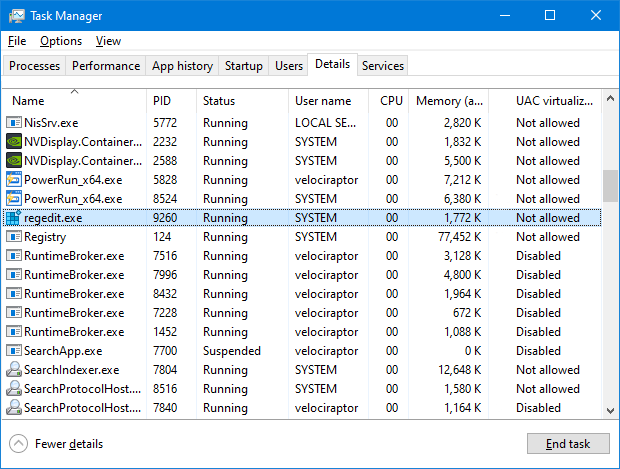
How to use : After downloading, extract PowerRun to your desired location, then run it. You can drag and drop any files on it for example ; program files , Program files shortcuts , script files , text files usw. to run a listed file in TrustedInstaller/SYSTEM privileges you can select it and use run button or right click on it and choose “Run File” feature , the file will run with Highest privileges , you can check the Task manager’s details tab to verify that the selected file running under SYSTEM Privileges.
If you’re trying to edit or delete keys from the registry , you might find that some keys won’t let you do anything with them and you’ll get an error such as “Cannot delete xxxxx: Error while deleting key“. These keys are usually protected to stop accidental deletion , You could also be the administrator on the computer, but still can’t manipulate the required key.
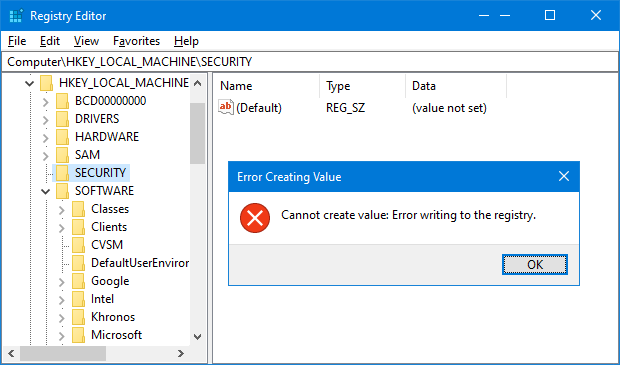
Even though the administrator account has a great deal of control, there are other hidden accounts and levels on the system which have even greater access and therefore standard administrator privileges are not enough. To solve this problem, you have to force the registry to allow the logged on user full control of the subkeys in such cases PoweRun can help you : use the “Launch Registry Editor” button.
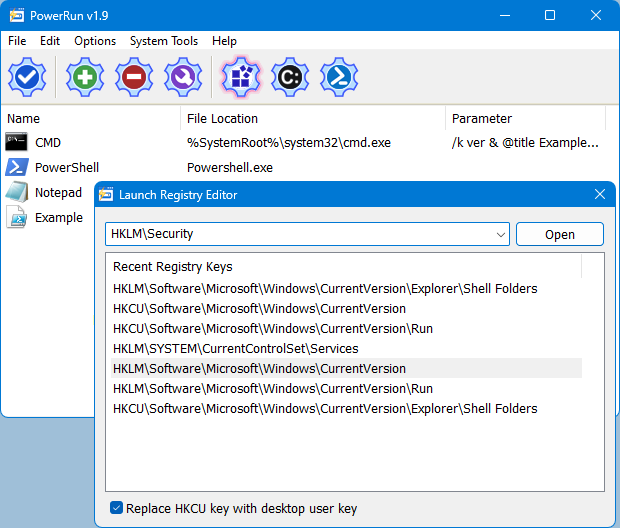
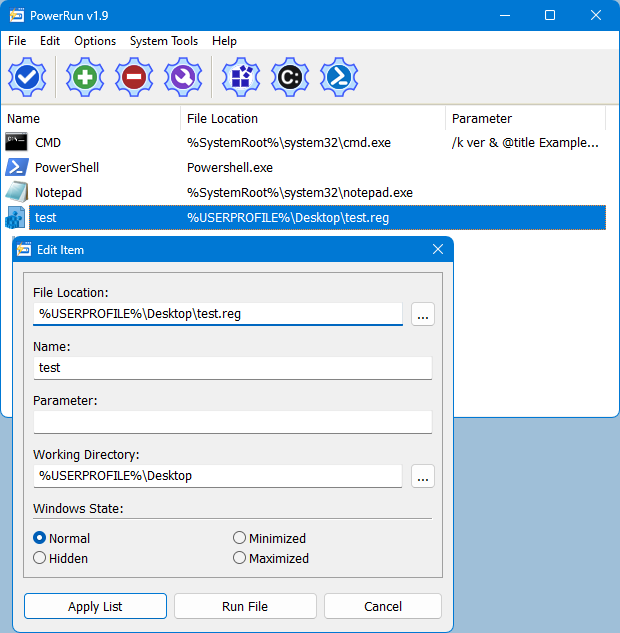
Copy desired registry key and click “Open” button , PowerRun will open regedit (with Highest Privileges) and jump to the key Automatically. If you want to add any parameter to listed script or program rigt click on it and use “Edit Item” or just use wrench Button.
For automation purpose PowerRun allows you to create a vbs or bat file with necessary parameters in it , to use this feature :
1. Select the Program.
2. And use Edit – Create bat/Vbs File feature.
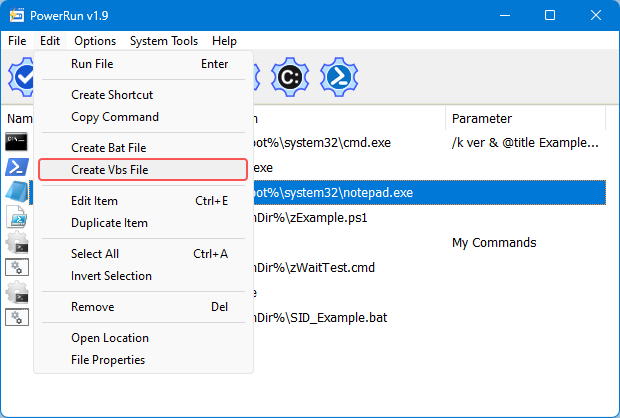
Don’t forget to run the script in the same folder with PowerRun.exe or PowerRun_x64.exe.
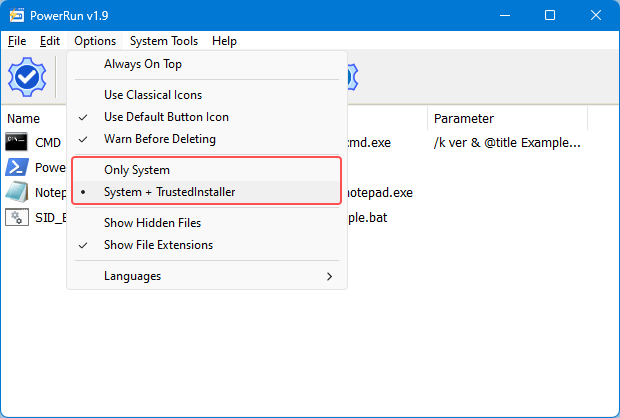
Choosing between System or TrustedInstaller Privileges
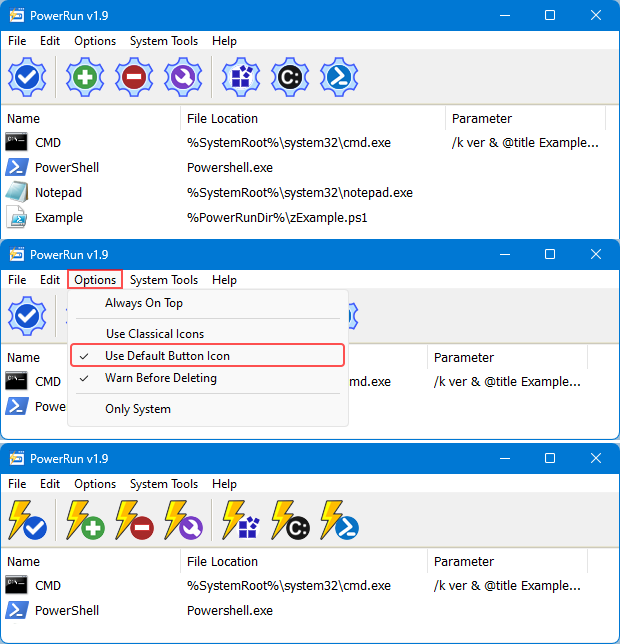
In the Options menu, you can choose between System and System + TrustedINstaller permissions.
To see all supported command line parameters of PowerRun, use PowerRun.exe ? command or click File menu and select Command Line Info.
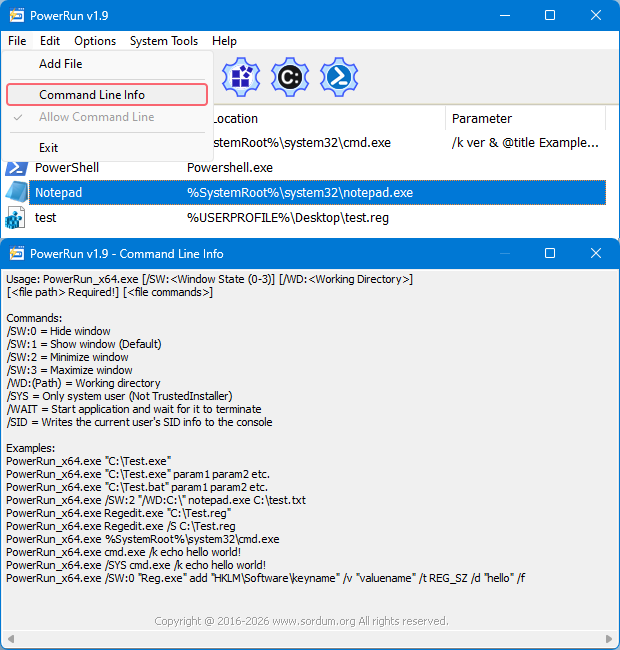
NOTE: PowerRun can not run only with “TrustedInstaller” privileges it can also run with “Nt Authority/system” privileges.
Supported operating systems: Windows 11 , Windows 10 , Windows 8.1 , Windows 8 and Windows 7
Supported languages: English , Turkish , German , Portuguese (Brazil) , Korean , French , Greek , Russian , Japanese , Polish , Spanish , Chinese (Simplified), Lithuanian, Italian, Vietnamese, Dutch (Nederlands)


File: PowerRun_x64.exe │ Virustotal
MD5: 8177df010460984de0df608483531103
SHA1: 4f4b009bdad5c97317492058267d51a4d3fde21a
SHA-256: b305126c2881073a53073bd1782d0649764d198562e02fc02395fc07637dcec5
File: PowerRun.exe │ Virustotal
MD5: 4dd8405238b8b3df3e8a663b98f064e0
SHA1: 24e0fa7565d006fa44ec7c243c416997e3b1a011
SHA-256: 4b2f1f74f33706ff4f1103495134670ff9fac88cb672bf2524d02f8405f14fb5




 Show My IP Address
 Google Translate
Thank you Peter, it can be possible.
Hi, I appreciate PowerRun very much!
Using it from the command line and in batch/scripting.
It works fine, but I miss a switch to wait for completion of the operation, similar to the /WAIT switch in Windows own ‘START’ command.
Maybe a feature in future version?
Kind regards, Peter
REGEDIT /S\tweak.reg
PowerRun needs to work with admin prvileges to get necessary permissions.
How can I avoid user prompt to confirm adding a registry file from a .BAT?
Is there any command line to silently add a .REG file?
Thanks!
The program runs under the system even if TrustedInstaller is authorized. You can check TrustedInstaller authorization With Process Explorer
Web Link …
Hi,
I can’t seem to gain TrustedInstaller permissions on Windows 10 1909 or 2004. I don’t know if this is a regression, or if I’m missing something.
Regardless of how I configure PowerRun, it shows up as SYSTEM in task manager, and `whoami` in cmd returns "nt authority\system".
Works great otherwise.
Powerrun requires administrator authority
Can PowerRun be used to run things with high privileges on a PC where you have no administrator rights?
Would you allow saving customized program’s column widths as well as program’s size and its position on screen? While the columns can be customized, this customization is lost on the program’s exit. Such improvement would come very handy.
Could you please fix it and send us
The Korean translation should not have shortcuts in the syllables.
Can run the software with the lowest permissions in later versions?
Some software will apply for UAC permission when it is started. If you do not give UAC permission, such software can also run normally.
@Minh Cường: We will add this option in the next version (may be in the coming days). Thanks for your suggestion.
Hello.
I need to create shortcut to programs which I can place it on desktop or startup folder.
Please add an option for creating shortcuts.
Thanks.
Even as System or Trusted Installer you can’t edit files in downloaded MS Store games directories for modding 🙁
Is there a solution for this?
@Matthew Wai
If the WinDefend service is running, it can protect the corresponding registry keys.
PowerRun_x64.exe "Reg.exe" delete "HKEY_LOCAL_MACHINE\SOFTWARE\Policies\Microsoft\Windows Defender\Testing" /f
The above can delete "Testing" in "Windows Defender". However, the following cannot delete "Windows Defender" although it can be deleted via PowerRun’s GUI.
PowerRun_x64.exe "Reg.exe" delete "HKEY_LOCAL_MACHINE\SOFTWARE\Policies\Microsoft\Windows Defender" /f
Is it possible to delete "Windows Defender" via a CMD command line instead of the GUI?